Download the r4444 App – Free APK for Android
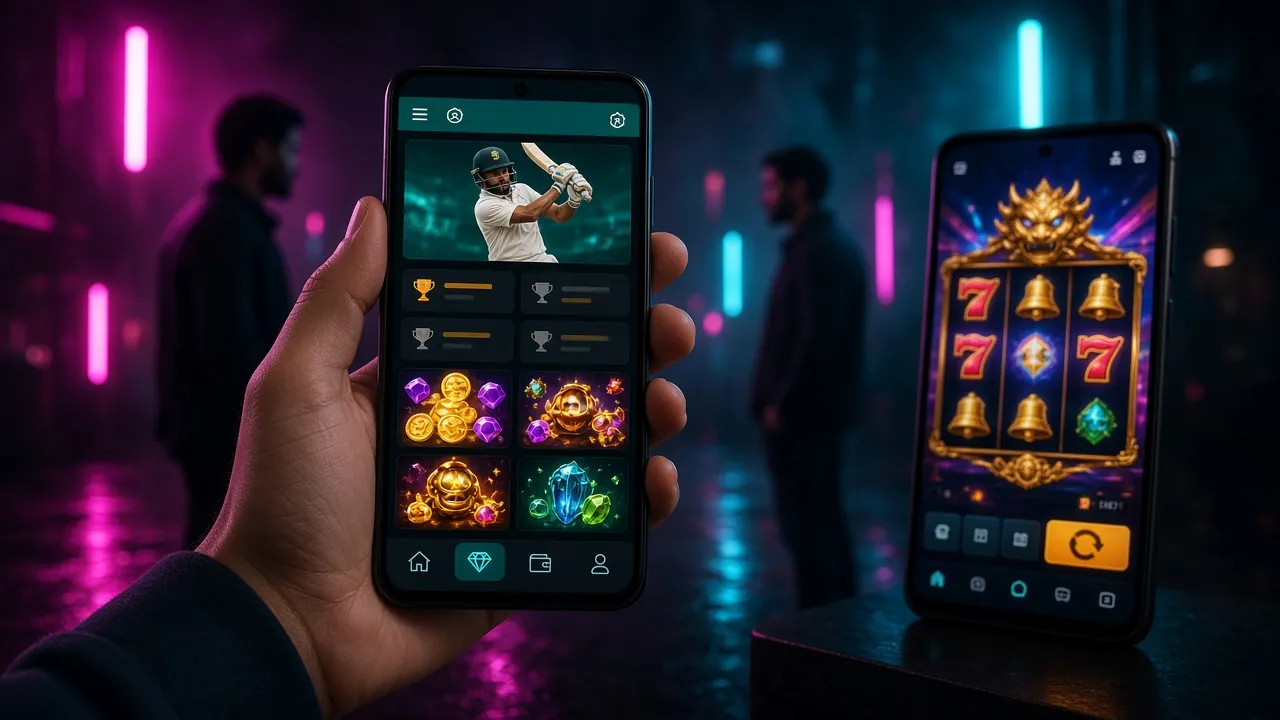
Install the r4444 app on any Android phone running version 7.0 or above. Bet on cricket, play live casino, deposit with bKash or Nagad – all from one lightweight 41 MB app.
Scan the QR code with your phone camera to go straight to the APK download page. No app store needed.
Version 2.9.15 · 41 MB · Free · Android 7.0+
What You Get with the r4444 App
The r4444 app is built for Bangladesh players who want fast access on mobile. Here is what makes it worth installing over using a browser tab.
Live Cricket Betting
Follow BPL, IPL, T20 and ODI matches in real time. Place bets on the current over, next wicket, or match winner while watching the live score update inside the app. Odds refresh every few seconds so you never miss a market shift.
Live Casino Streaming
Connect directly to live dealer tables for Baccarat, Roulette, and Dragon Tiger. The r4444 app streams at a stable frame rate over a mobile data connection. Switch tables without leaving the app or reloading a page.
bKash & Nagad Deposits
Open the cashier, choose bKash, Nagad, Rocket, or Upay, and enter your amount. Deposits typically clear in under 5 minutes. The app saves your preferred method so you do not repeat the process each time you top up your balance.
Crash & Instant Games
Spribe Aviator, Monster Plinko, and Space Max load in seconds on the app. Crash games need low latency – the app gives you a faster, smoother connection than a browser tab with multiple open windows competing for memory.
Push Notifications
Get alerts when your favourite cricket match is about to start, when your withdrawal is approved, or when a new promotion goes live. You can manage which notifications you receive inside the app Settings menu at any time.
Dark Mode, Always On
The r4444 app uses a deep green-dark theme that is easy on your eyes at night. It also reduces battery usage on AMOLED screens, which covers most mid-range and flagship Android phones sold in Bangladesh today.
Download r4444 APK
Direct download from r4444's own server. No third-party mirror, no hidden files.
Download APK FreeAfter downloading, tap the file in your notifications bar to begin installing. If you see a warning about unknown sources, go to Settings → Security → Unknown Sources and toggle it on.
Version & System Information
| Detail | Specification |
|---|---|
| App Version | 2.9.15 |
| File Name | r4444.apk |
| File Size | 41 MB |
| Minimum Android | 7.0 (Nougat) or above |
| Last Updated | 3 November 2026 |
| Price | Free |
| Interface Languages | English · Bangla |
| iOS Support | Mobile browser (Add to Home Screen) |
| Download Source | r4444 official server only |
The app is not listed on the Google Play Store. Download directly from this page. Check the version number in App Settings → About after installing to confirm you have the current build.
How to Install the r4444 APK on Android
Android blocks APK files from outside the Play Store by default. Follow these five steps and you will have the app running in about two minutes.
-
1
Allow Installation from Unknown Sources
On your Android phone, go to Settings → Security (or Settings → Apps → Special App Access → Install Unknown Apps on newer builds). Find your browser or file manager in the list and toggle on Allow from this source. This step is required only once.
-
2
Tap the Download APK Button
Return to this page and tap Download APK Free. The file r4444.apk (41 MB) will save to your phone's Downloads folder. The download usually completes in under a minute on a standard Grameenphone or Robi connection.
-
3
Open the APK File
Pull down your notification shade and tap the completed download notification. Alternatively, open your Files app, navigate to Downloads, and tap r4444.apk. Android will show you an installation preview screen with the app permissions listed.
-
4
Confirm Installation
Tap Install on the Android prompt. The installation takes around 15–20 seconds. When it completes, you will see an App Installed confirmation. Do not tap Done yet – tap Open to launch the r4444 app immediately.
-
5
Log In or Create Your Account
On the app's welcome screen, tap Log In if you already have an r4444 account, or tap Register to create one. Registration takes under two minutes and you can deposit straight away with bKash or Nagad. See the r4444 Register guide for full steps.
iPhone / iPad – Add r4444 to Your Home Screen
There is no separate iOS app. Instead, add the r4444 website to your iPhone home screen. It opens like a native app, full screen, with no browser address bar.
-
1
Open Safari on Your iPhone
Go to r4444.one in Safari. This only works with Safari – Chrome and Firefox on iOS do not support the Add to Home Screen feature.
-
2
Tap the Share Icon
At the bottom of Safari, tap the share button (a box with an upward arrow). If you do not see the toolbar, scroll up on the page to reveal it.
-
3
Choose "Add to Home Screen"
Scroll down the share sheet and tap Add to Home Screen. Edit the name to "r4444" if you like, then tap Add in the top-right corner.
-
4
Launch from Your Home Screen
The r4444 icon now appears on your iPhone home screen. Tap it to open the site in full-screen mode. You can log in, bet on cricket, and manage your account exactly as you would in the Android app.
Games Inside the r4444 App
Explore CasinoAll 1,500+ games available on the website are also accessible in the app. The categories below load fastest on mobile data.

Mine
JILI · RTP 97.3%

Panda Dragon Boat
Spribe · RTP 97.0%
Cricket Betting
Live · Pre-match · BPL · IPL
Live Dealer
Sexy Gaming · Baccarat · Roulette
Instant Games
Spribe · Monster Plinko · Space Max
Fishing Games
Red Tiger · Relax Fishing
r4444 App vs Web Browser – Full Comparison
Both options give you access to the same games and account, but the app has several advantages for regular players in Bangladesh.
| Feature | r4444 App (APK) | Mobile Browser |
|---|---|---|
| Push Notifications | Yes – live alerts | No |
| Game Loading Speed | Faster (cached assets) | Slower on first load |
| bKash / Nagad Deposit | In-app cashier | Web cashier |
| Live Cricket Odds | Real-time refresh | Manual page refresh |
| Full Game Lobby (1,500+) | Yes | Yes |
| Data Usage | Lower (native rendering) | Higher (full page loads) |
| Background Audio | Supported | Stops when tab switches |
| Biometric Login | Fingerprint / Face ID | Password only |
| Install Required | Yes (41 MB one-time) | No install needed |
| Works Offline | UI loads offline | Requires internet |
Already have an account? Go straight to r4444 Login after installing the app.
Security & Permissions Explained
The r4444 APK requests only the permissions it needs to function. Here is what each one does and why it is necessary.
Internet Access
Required to connect to game servers, load odds, and process payments. The app communicates only with r4444's own servers and the payment gateways (bKash, Nagad, Rocket, Upay). No outbound connections to advertising networks or data brokers are made by the app.
Notification Permission
Lets the app send you match alerts, withdrawal confirmations, and promotional offers. You choose which notification categories to allow during the app's first launch. You can revoke this permission at any time from Android Settings without affecting your account or gameplay.
Biometric / Fingerprint
Allows you to log in using your phone's fingerprint sensor or face recognition instead of typing your password each time. Your biometric data stays on your device and is never sent to r4444's servers. This feature can be turned off in App Settings → Security at any time.
SSL Encryption on All Data
Every connection between the app and r4444's servers uses TLS 1.2 or higher. Your account credentials, payment details, and personal data are encrypted in transit. The APK itself is signed with r4444's official key – if the signature does not match, Android will refuse to install it.
Common Installation Problems & How to Fix Them
If your installation does not go smoothly, the table below covers every common issue r4444 support sees from Bangladesh players.
| Problem | Likely Cause | Fix |
|---|---|---|
| "Install blocked" warning | Unknown sources setting is still off for the browser or file manager you used to open the APK. | Go to Settings → Apps → Special App Access → Install Unknown Apps. Find your browser or file manager and enable it. Then tap the APK file again. |
| "App not installed" error | A previous or corrupted version of r4444 is already on the phone, or the downloaded APK file was incomplete. | Uninstall the old version first (hold the r4444 icon → Uninstall). Delete the downloaded APK and re-download from this page. Make sure your phone has at least 100 MB of free storage. |
| App crashes on launch | Android version is below 7.0, or the phone does not have enough RAM to run the app (less than 2 GB free). | Check your Android version in Settings → About Phone. Close all background apps to free up RAM, then relaunch r4444. If the issue continues, restart your phone and try again. |
| Download stops midway | Unstable mobile data connection or low phone storage caused the download to fail before completing. | Switch from mobile data to Wi-Fi if available. Clear your browser's cache, then tap the Download APK button again. Check that you have at least 100 MB free storage before starting. |
| Games do not load inside the app | Your internet connection speed is too low for the game's minimum stream requirement, or the app's cache is corrupted. | Test your connection speed – most live casino games need at least 2 Mbps. Go to Settings → Apps → r4444 → Storage → Clear Cache and relaunch the app. If you still have issues, contact [email protected]. |